Managing scripts in the admin UI
The Scripts section of the admin panel lets administrators author and deploy custom front-end JavaScript through a governed lifecycle that includes an LLM-based security scan. A typical use is the host connector that wires Quick Prompt into a business application: instead of hand-deploying a static .js file, the connector is authored in the admin panel, scanned, and served by uxopian-ai to authenticated users.
Scripts are managed per tenant. Changes take effect without restarting the application.
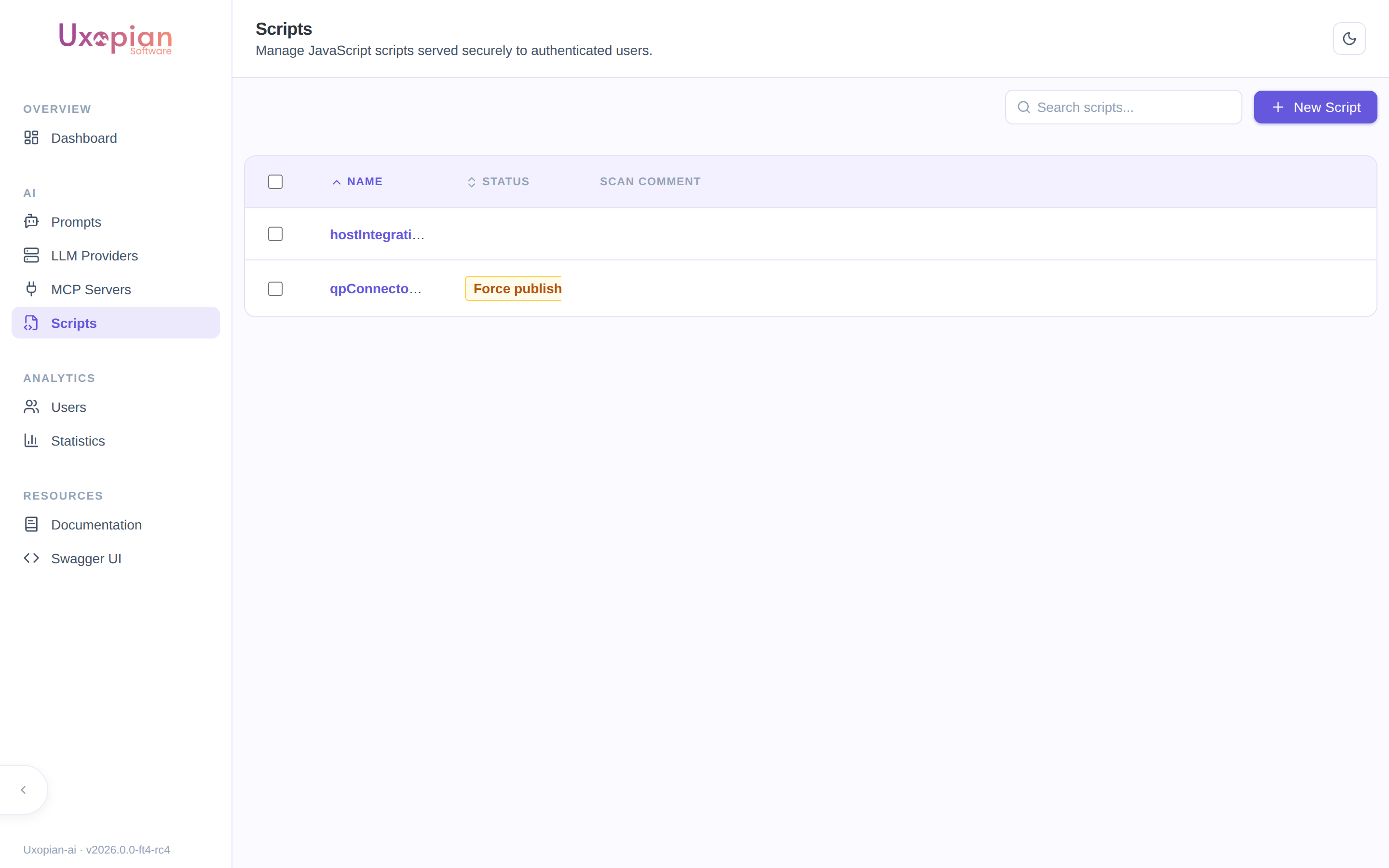
Figure: the Scripts section lists each script with its publication status (here, a force-published script and a draft).
The script lifecycle
Figure: A script is created, edited as a draft, scanned, and — once certified or force-published — deployed and served.
A script always has two faces:
- Draft content — what the administrator is editing. Not servable to users.
- Deployed content — the last published version. This is what end users receive.
Create a script
- In the admin panel, open Scripts and click New Script.
- Enter a name. The name becomes the script's immutable ID and may contain only letters, digits,
_, and-. Creation fails with a conflict if the name is already used. - Save. The script is created empty; add its content on the detail page.
Edit a script
Open a script to reach its detail page, which provides a code editor and the script's current status.
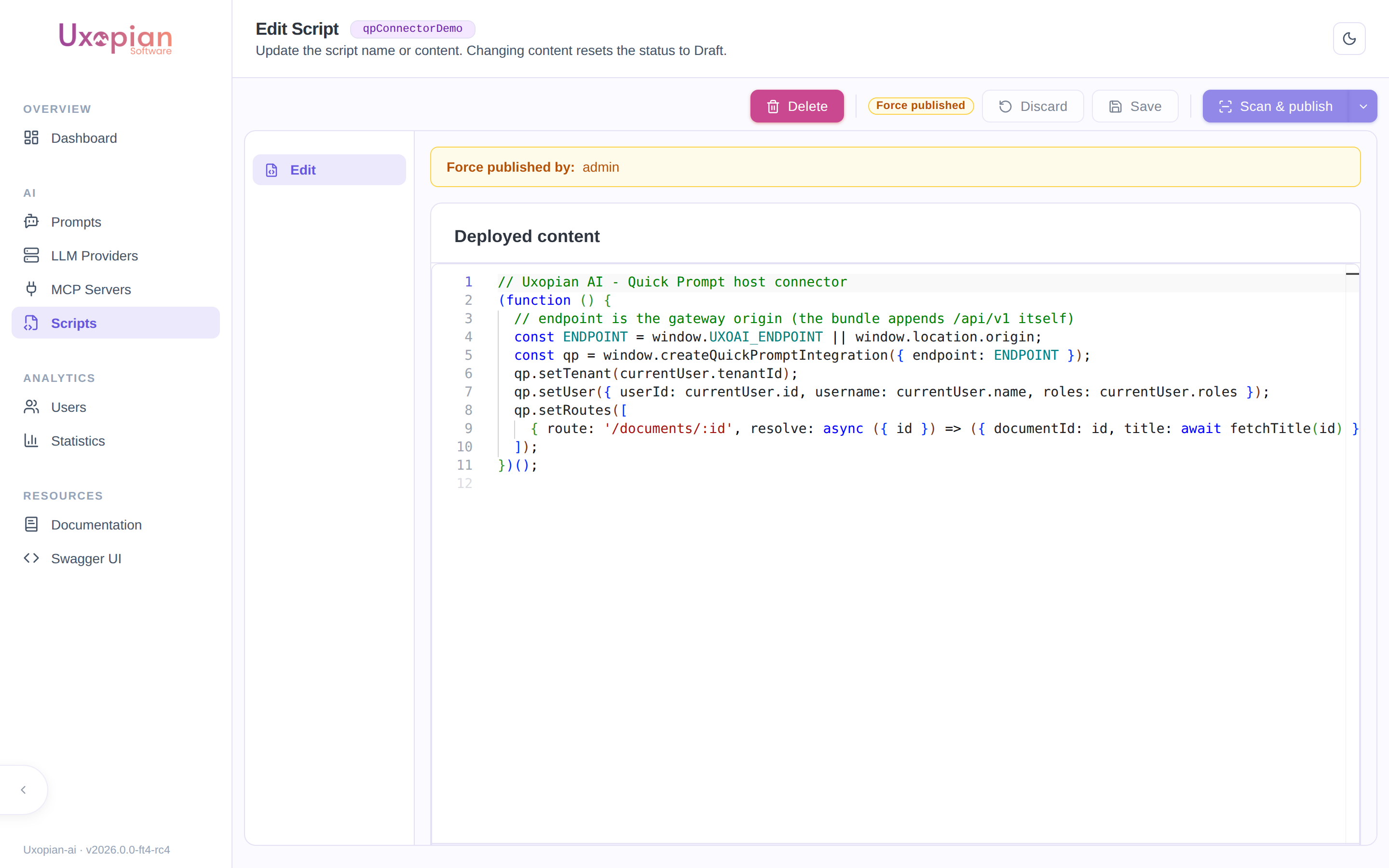
Figure: the script detail page — code editor, status badge, and the Delete / Discard / Save / Scan & publish actions.
| Action | Description |
|---|---|
| Save | Saves the editor content as the draft. Editing the draft of a certified script invalidates its certification — it must be re-scanned. |
| Discard | Reverts the editor to the last saved/deployed state. |
| Scan & publish | Runs the security scan; on a Certified verdict, the draft is automatically published and becomes servable. |
| Force publish | (In the Scan & publish dropdown.) Deploys the current draft without scanning. Use with care — the action is logged and attributed. |
| Delete | Removes the script after confirmation. |
You cannot modify a script's deployed content directly. All edits go through the draft; publishing promotes the draft to the deployed content.
Status
| Status | Meaning |
|---|---|
| Certified | The latest scan certified the draft as safe |
| Rejected | The latest scan rejected the draft; the scanner's comment is shown |
| Force published | The deployed content was published without a scan |
| Deployed | The script has deployed content and is being served |
| Pending scan | Transient indicator shown while a scan is in progress |
The security scan
The scan sends the draft content to a configured LLM with a security-review prompt and expects a verdict of Certified or Rejected with a comment. This requires an LLM provider to be configured for scanning:
| Setting | Environment variable | Default | Description |
|---|---|---|---|
script.scan.llm-provider-id | SCRIPT_SCAN_LLM_PROVIDER | (empty) | ID of a configured LLM provider used to run the scan. Required to enable scanning. |
script.scan.llm-model | SCRIPT_SCAN_LLM_MODEL | (empty) | Model to use; falls back to the provider's default model when blank |
script.scan.prompt | — | (built-in) | The security-review prompt sent to the model |
If no scan provider is configured, script create/edit/delete and force publish still work, but the Scan & publish action is unavailable. See Configuration — script-scan.yml.
Serving a script
A deployed script is served to any authenticated user as application/javascript, with HTTP caching (Cache-Control and ETag, so unchanged scripts return 304 Not Modified):
GET /api/v1/scripts/{id}
A script that has never been deployed is not servable and returns 401 Unauthorized. A draft can be previewed (for development) via GET /api/v1/scripts/{id}/draft.
To load a deployed script in a host page:
<script src="https://your-gateway/api/v1/scripts/myConnector"></script>
REST API endpoints
Administration (/api/v1/admin/scripts):
| Method | Endpoint | Description |
|---|---|---|
GET | /api/v1/admin/scripts | List scripts with full metadata |
GET | /api/v1/admin/scripts/{id} | Get a script by ID |
POST | /api/v1/admin/scripts | Create a script (name only; 409 if the name exists) |
PUT | /api/v1/admin/scripts/{id} | Update the draft content |
POST | /api/v1/admin/scripts/{id}/scan | Run the security scan |
POST | /api/v1/admin/scripts/{id}/publish | Publish a certified draft |
POST | /api/v1/admin/scripts/{id}/force-publish | Publish the draft without scanning |
DELETE | /api/v1/admin/scripts/{id}/draft | Discard the draft |
DELETE | /api/v1/admin/scripts/{id} | Delete the script (204 No Content) |
Serving (authenticated users):
| Method | Endpoint | Description |
|---|---|---|
GET | /api/v1/scripts/{id} | Serve the deployed script as application/javascript (401 if never deployed) |
GET | /api/v1/scripts/{id}/draft | Serve the draft as application/javascript (for preview) |