Managing LLM providers in the admin UI
The LLM providers section of the admin panel lets you add, edit, and delete LLM provider configurations for the current tenant without restarting the application.
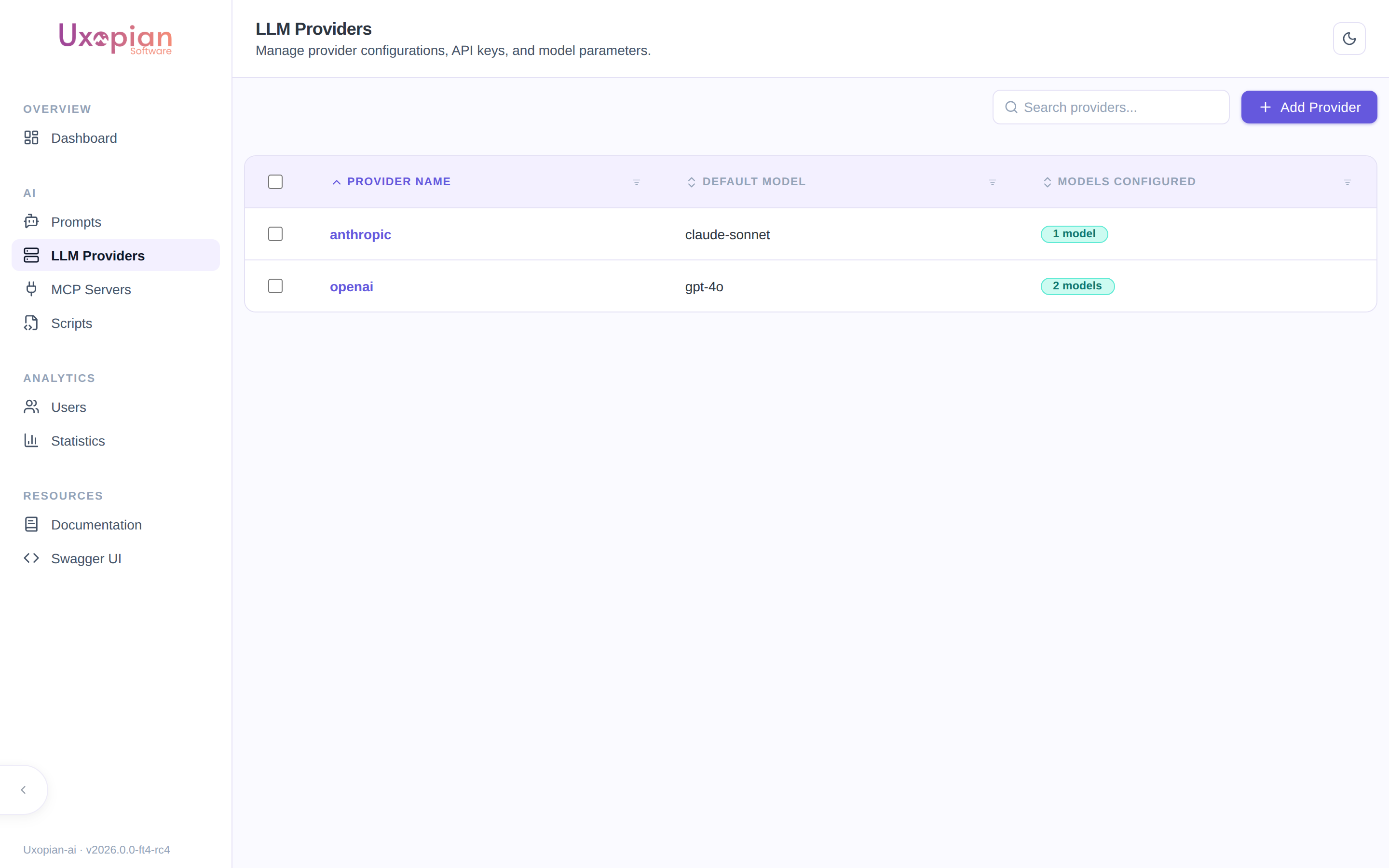
Figure: the LLM Providers list — each provider shows its default model and the number of configured models.
Navigate to LLM providers
In the admin panel, click "LLM Providers" in the navigation. The page lists all provider configurations for the current tenant.
Add a provider
- Click the "Add provider" button.
- Select the provider type from the dropdown. Supported types:
openai,anthropic,azure,bedrock,gemini,mistral,huggingface,ollama,nu-extract. - Fill in the required fields:
- API Secret: the API key or credential. Stored encrypted.
- Endpoint URL: the provider API base URL (required for some providers).
- Temperature: sampling temperature (0.0 to 1.0+).
- Timeout: request timeout (e.g.,
60s). - Max retries: number of retries on failure.
- Extra parameters: provider-specific fields (e.g.,
deploymentNamefor Azure,regionfor Bedrock).
- Add at least one model configuration:
- Model conf name: internal identifier for this model.
- Model name: actual model name sent to the provider API.
- Multimodal supported: check if the model accepts image inputs.
- Function calling supported: check if the model supports tool calling.
- Save.
Changes take effect immediately for new requests. Existing in-progress requests continue using their original configuration.
Provider detail page
Click on a provider in the list to open its detail page (route /llm-providers/:id). The detail page has three tabs: Settings, Models, and Test.
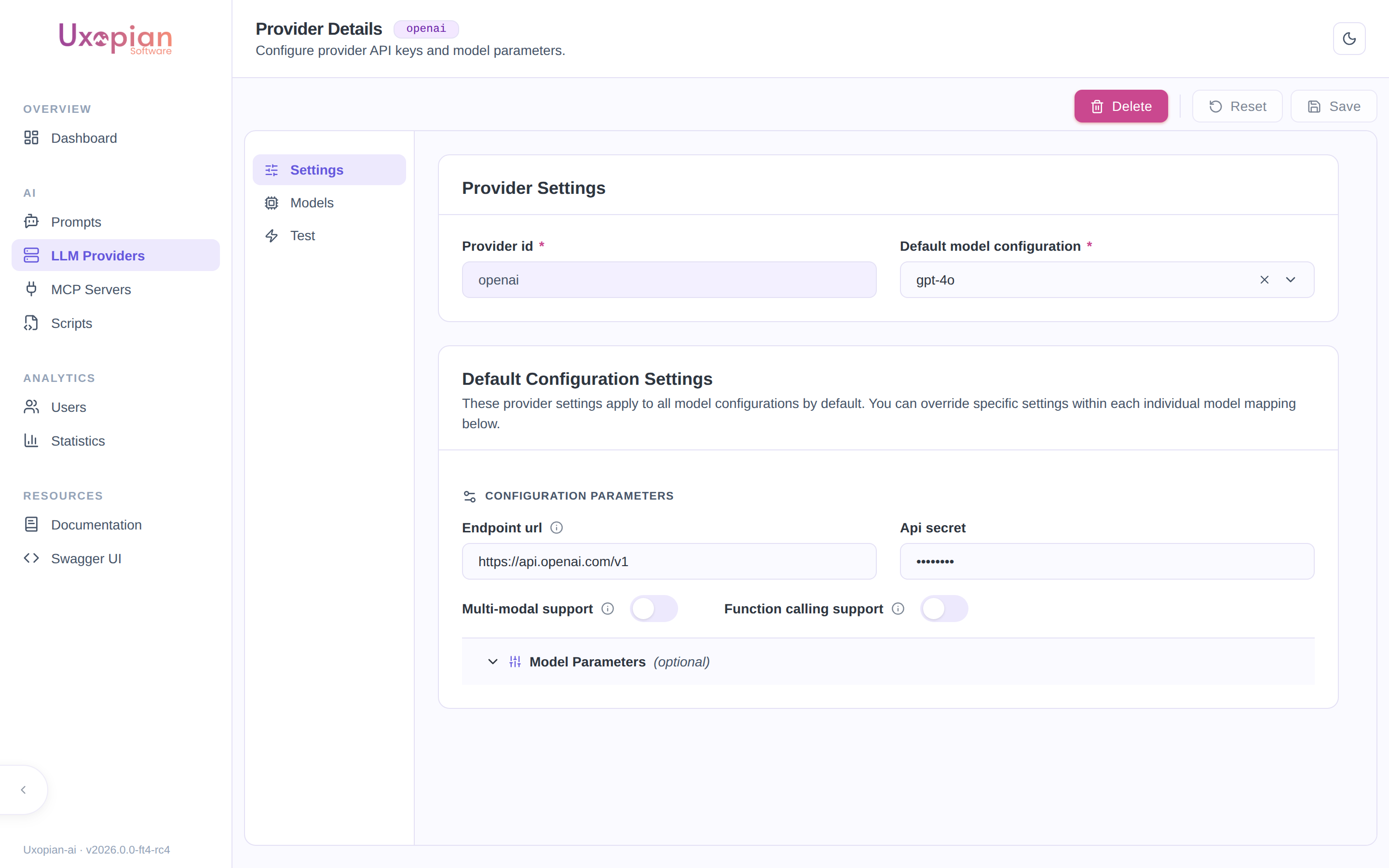
Figure: the provider detail page (Settings tab) — provider id, default model, endpoint, API secret, and capability toggles. The Models tab shows a warning indicator when a model configuration is incomplete or duplicated.
Figure: Provider detail page tab structure.
Configuration tab
Edit the provider settings. The API secret field is masked; enter a new value only if you need to update the credential.
| Field | Description |
|---|---|
| Provider type | LLM provider backend (read-only after creation) |
| Provider name | Display name for the configuration |
| API Secret | Credential (masked, stored encrypted) |
| Endpoint URL | Base URL for the provider API |
| Temperature | Default sampling temperature |
| Timeout | Request timeout (e.g., 60s) |
| Max retries | Retry count on failure |
| Extra parameters | Provider-specific fields (loaded from GET /api/v1/admin/llm/providers/{name}/extra-params) |
Extra parameters vary by provider type. For example, Azure requires deploymentName, Bedrock requires region.
Models tab
Manage the model configurations attached to this provider. Each model entry has:
| Field | Description |
|---|---|
| Model conf name | Internal identifier used in prompt and request overrides |
| Model name | Actual model name sent to the provider API |
| Multimodal supported | Whether the model accepts image inputs |
| Function calling supported | Whether the model supports tool calling |
Add new models, edit existing ones, or remove models. A provider must have at least one model configuration.
Test tab
Test the provider connectivity without leaving the admin panel.
- Select a model from the provider's configured models.
- Click "Test" to send a request to the provider.
- The result shows a success or error status badge with the response preview.
The test tab is disabled when creating a new provider or when there are unsaved changes. Save first, then test.
Delete a provider
On the provider detail page, click "Delete". A confirmation dialog is displayed. Requests that were using this provider will fail until a different provider is configured as default.
Set the default provider
The default provider is set via llm.default.provider in llm-clients-config.yml or the LLM_DEFAULT_PROVIDER environment variable. It cannot be changed via the admin UI; a configuration change and restart are required.
REST API endpoints
| Method | Endpoint | Description |
|---|---|---|
GET | /api/v1/admin/llm/providers | List all available provider type names |
GET | /api/v1/admin/llm/providers/{name}/extra-params | Get extra parameter descriptors for a provider type |
GET | /api/v1/admin/llm/provider-conf | List all provider configurations |
POST | /api/v1/admin/llm/provider-conf | Create a new provider configuration |
GET | /api/v1/admin/llm/provider-conf/{id} | Get a provider configuration by ID |
PUT | /api/v1/admin/llm/provider-conf/{id} | Update a provider configuration |
DELETE | /api/v1/admin/llm/provider-conf/{id} | Delete a provider configuration |