Managing users
The users section of the admin panel provides a read-only view of all users for the current tenant. Administrators can browse user activity, view conversation history, and inspect individual LLM requests.
User list
Navigate to "Users" in the admin panel. The table lists all users with sortable columns:
| Column | Description |
|---|---|
| User ID | Identifier passed in X-User-Id headers |
| Conversations | Total conversation count |
| Input tokens | Aggregate input token count |
| Output tokens | Aggregate output token count |
| Request count | Total number of LLM requests |
Use the search field at the top to filter users by ID. The list is paginated and sorted on the server: only one page of users is fetched at a time, and the columns can be sorted, resized and hidden.
Data is fetched from GET /api/v1/admin/users/statistics, which takes search (a term looked for in the user ID) and the pagination parameters offset, limit (default 20), orderBy and ascending, and answers a page { collection, total, facets }. By default the users with the most conversations come first; orderBy accepts userId, conversationCount, requestCount, inputToken and outputToken.
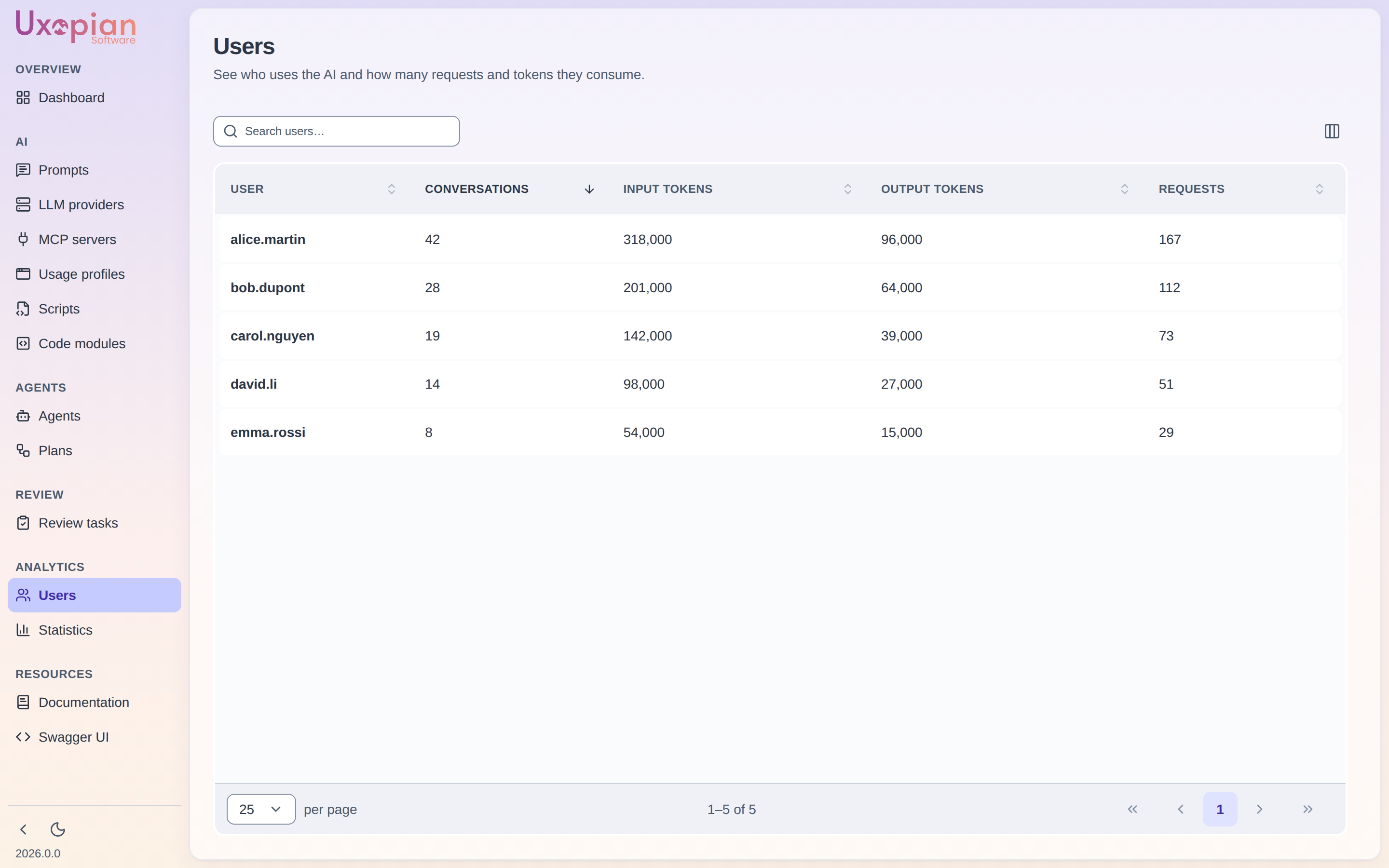
Figure: the Users list — per-user conversation count, input/output tokens, and request count, with sortable columns.
Click a row — or double-click it — to open the user detail page.
User detail page
Route: /users/:userId.
Figure: User detail page layout.
User summary
An Activity card shows aggregate statistics for the selected user, with the date of the last activity:
| Stat | Description |
|---|---|
| Conversations | Number of conversations |
| Requests | Total LLM requests |
| Tokens | Total tokens, split into input and output |
A refresh button reloads the statistics.
Fetched from GET /api/v1/admin/users/details?userId={userId}.
Conversation list
A Conversations card lists the user's conversations, loaded page by page (Show more conversations). Click a conversation to display its requests.
Request display
For the selected conversation, the main panel shows each request in chronological order. Each request displays:
- The user message content
- The assistant response
- The LLM provider and model used
- Token counts (input and output)
- The tools the assistant used, in a collapsed Tools used (n) section, and the files the request references
Requests are paginated. Fetched from GET /api/v1/admin/requests?conversation={conversationId}&offset={offset}&limit={limit}. The list answers lightweight request summaries, without the context payload: fetch GET /api/v1/admin/requests/{id} for a request in full.
Token counts include every completion of the tool-calling loop of a request, so totals are higher than before 2026.0.0 for conversations that use tools.
REST API endpoints
| Method | Endpoint | Description |
|---|---|---|
GET | /api/v1/admin/users/statistics | List users with conversation stats (paginated, search filter) |
GET | /api/v1/admin/users/details?userId={id} | Get the statistics of one user |
GET | /api/v1/admin/conversations | List conversations (paginated; userId keeps one user's conversations, workspaceId filters by workspace) |
GET | /api/v1/admin/conversations/{id} | Get a conversation by ID |
DELETE | /api/v1/admin/conversations/{id} | Delete a conversation |
GET | /api/v1/admin/requests?conversation={id}&offset={n}&limit={n} | Paginated request summaries for a conversation |
GET | /api/v1/admin/requests/{id} | Get a specific request |
DELETE | /api/v1/admin/requests/{id} | Delete a request |