Deployment Variants
Decide where Fast2 sits relative to the source and target before you launch the first campaign. That one choice drives how much data leaves the building, how fast you go, and how painful it'll be to debug when something breaks. Fast2 runs in four deployment shapes for a content migration. This article walks each one through the same three lenses (access control, performance, debugging) with a FileNet-to-AWS-S3 migration as the running example.
Option 1: On-premise
Fast2 runs inside the customer's own network, right next to the source ECM. This is the most private option. The only traffic that leaves the perimeter is the connection out to the destination, which in the FileNet-to-S3 example is the S3 link, already protected by AWS encryption in transit and at rest.
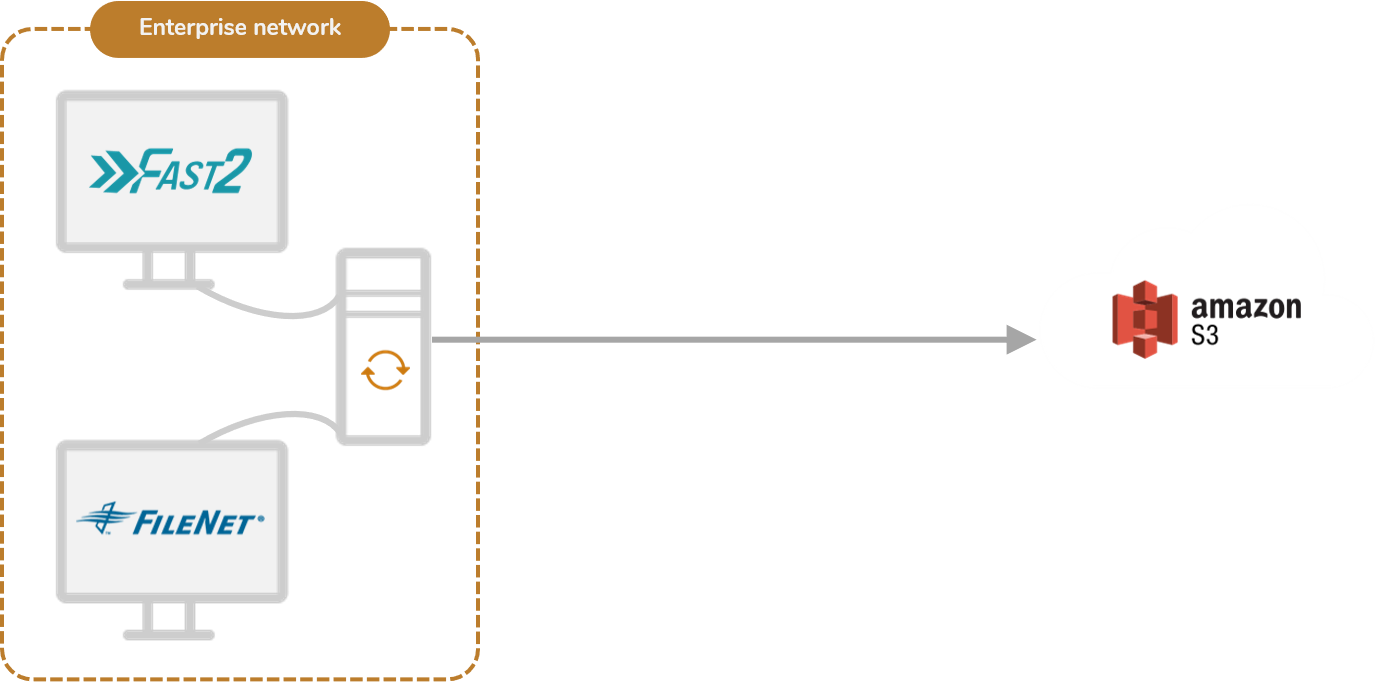
Sub-option A: Same machine
Fast2 sits directly on the ECM server. The source is reached over localhost, so nothing on the document plane touches the network at all. The one external channel is the S3 connection.
You can't get more private than that. The catch: Fast2 and the ECM now fight over the same CPU, memory, and I/O. On a busy production source that contention is the exact thing you're trying to avoid (see Extracting From a Live ECM). Keep this one for clones, staging copies, or sources with headroom to spare.
Sub-option B: Same network
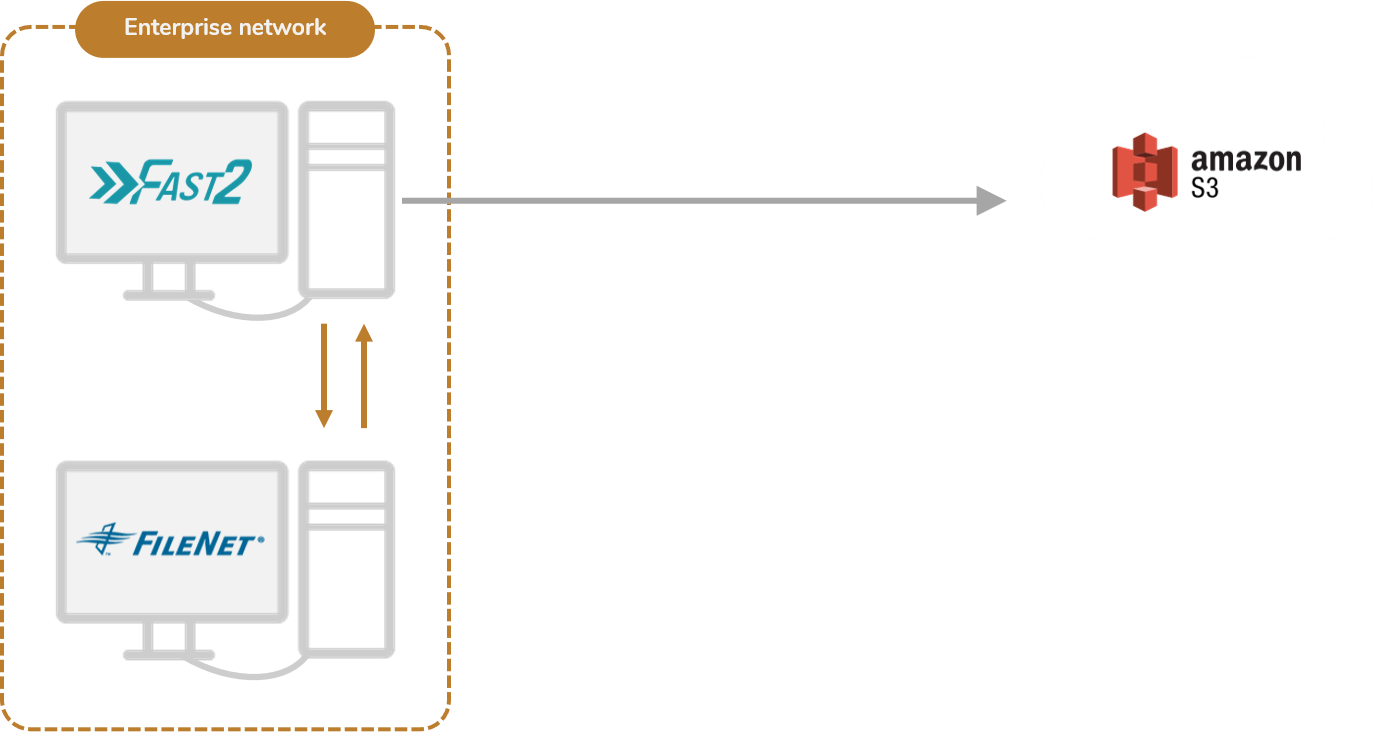
Fast2 sits on a separate server inside the enterprise network. You keep the privacy of staying on-premise, but the migration workload no longer steals the ECM's resources, so you avoid the contention and the source stays stable.
This is the on-premise default. Same trust boundary, no resource fight.
Option 2: Cloud-based
Fast2 runs remotely, in the cloud. Infrastructure cost drops, and scaling workers up and down on demand becomes trivial. What you give up is exposure. You have to open remote access from the cloud into both the source and the destination. That raises confidentiality questions, and it usually means VPN, peering, or firewall changes that the customer's security team has to sign off on.
Best when the source is already cloud-hosted, or when the customer is fine opening controlled access and wants elastic scale.
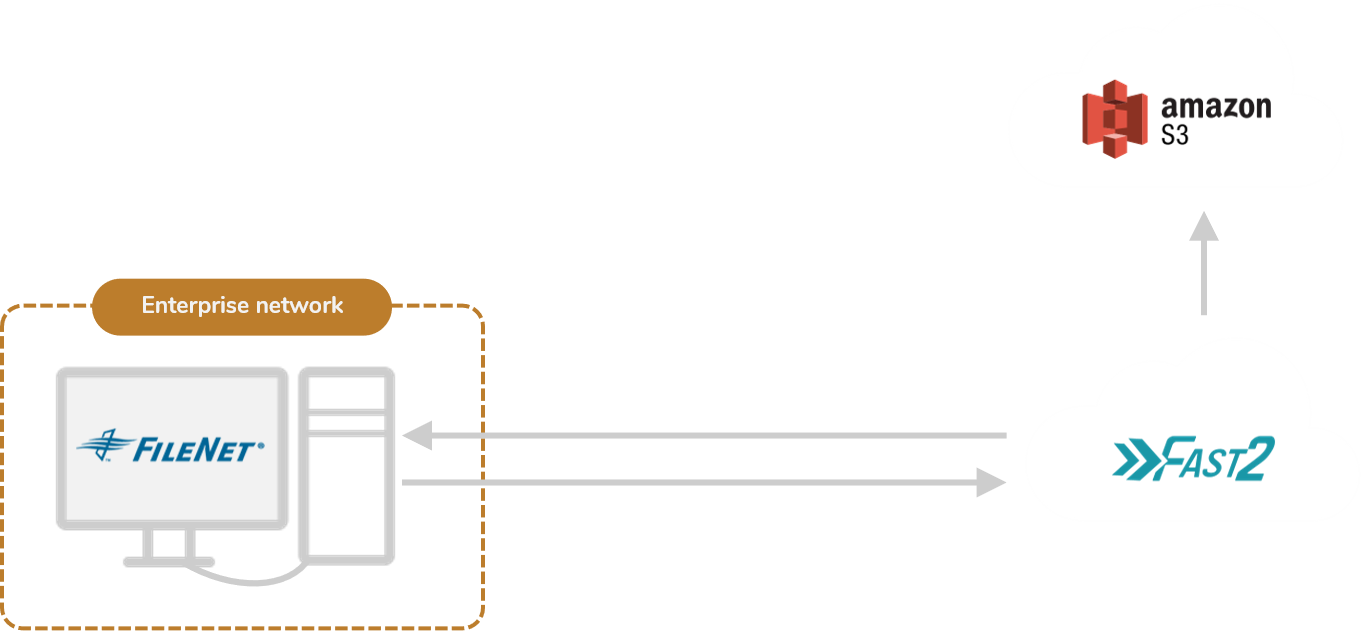
Cloud-hosted, not SaaS
Running Fast2 in the cloud means a dedicated instance you stand up for the migration, not a multi-tenant, always-on service that Uxopian hosts for you. That is a deliberate design choice, not a missing feature:
- A migration is a bounded project, not a permanent service. It runs for the length of the engagement and then stops. The 24/7 high-availability, auto-respawn, shared-infrastructure model of a true SaaS is the wrong fit, technically and commercially, for a workload that is transient by nature.
- Throughput depends on proximity to the data. A dedicated instance placed next to the source and target, for example inside the customer's own cloud tenant, moves content faster than routing it through a remote, shared platform.
- The content stays under the customer's control. The documents being migrated are the customer's own sensitive data. Keeping Fast2 inside the customer's environment keeps data residency, isolation, and contractual constraints in the customer's hands rather than a third party's.
So "cloud" here gives you the best of both: the elasticity and reach of the cloud (fast to stand up, reachable from anywhere, sized to the migration volume) without the mismatch of a permanent shared SaaS.
Option 3: Hybrid
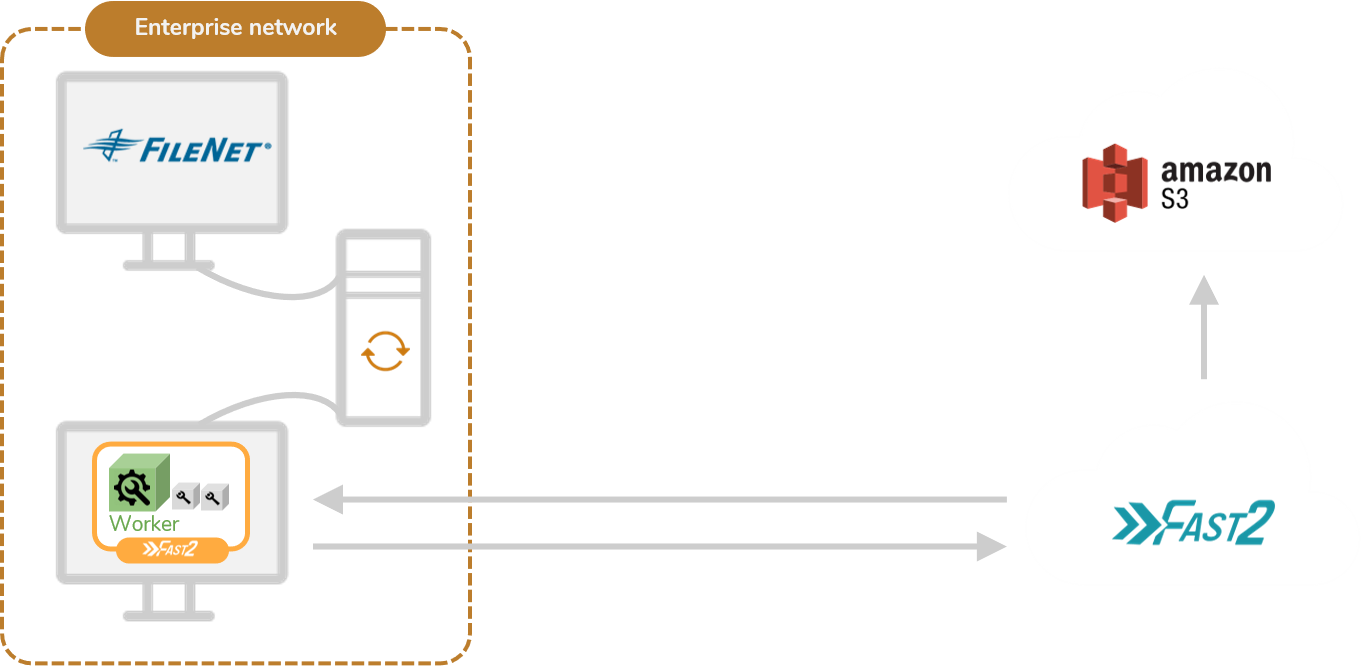
The broker runs remotely while the workers run on-premise, next to the ECM. Sensitive document traffic never leaves the building, since the workers read from the source locally, while the lightweight orchestration and queueing happen in the cloud. So you get the scale of a cloud broker without pushing the heavy, confidential data path out over the wire.
What it costs you is operational complexity. With components split across two environments, debugging gets harder. A failure could be in the cloud broker, in the on-premise worker, or in the link between them, and you have to figure out which. One useful planning detail: moving to hybrid from either the "same network" on-premise setup or the fully remote cloud setup is fairly painless, so you can start simpler and graduate to hybrid later if you need to.
Option 4: AWS Snowball
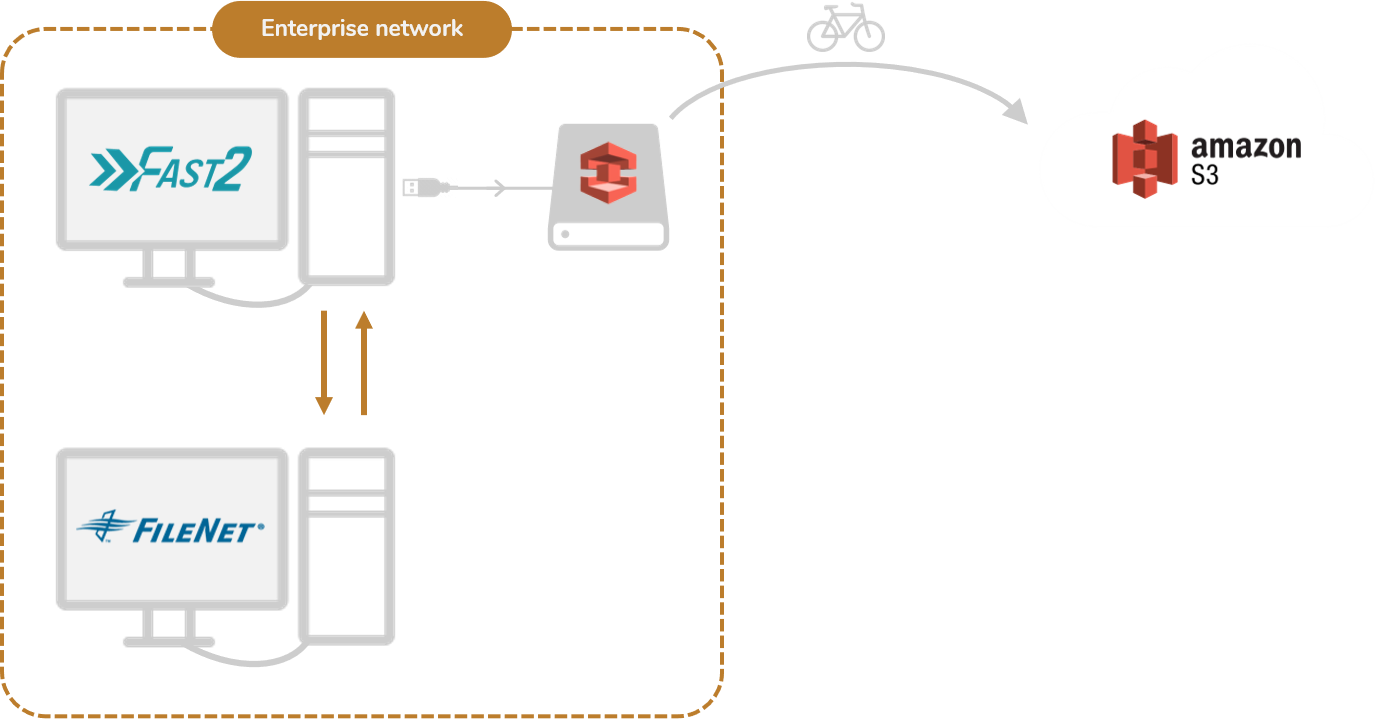
For very large estates, or when bandwidth is tight, you write the data locally onto a physical AWS Snowball device, ship the device to AWS, and load it into S3 there. It saves your bandwidth and keeps the data confidential in transit, since the device is encrypted and physically moved rather than streamed over the wire.
The trade-offs here are physical. Shipping a box introduces real-world delay, and you're capped by device capacity and the logistics of moving drives around. Best for a one-shot bulk seed of a huge archive where the network would otherwise be the bottleneck.
Quick comparison
| Factor | On-prem | Cloud | Hybrid | Snowball |
|---|---|---|---|---|
| Access control | ✅ | ❌ | ✅ | N/A |
| Performance | Mixed | ✅ | ✅ | ✅ |
| Debugging | ✅ | ✅ | ❌ | ✅ |
| Scalability | ❌ | ✅ | ✅ | ❌ |
Key takeaway
There's no single right answer. The right shape comes down to how strict the customer is about confidentiality, how much bandwidth they have, and how much operational complexity they're willing to live with. And remember: switching to the hybrid architecture from either the "same network" or the "remote" setup is pretty easy, so your first choice doesn't lock you in.