Release Notes: uxopian-ai v2026.0.0
Release Date: October 2026 Version: 2026.0.0
🎉 The fasttrack ride is over: 2026.0.0 is the general availability release. Since 2026.0.0-ft5, your admin console got a fresh new look, your models can read documents and PDFs, humans can review what the AI extracted, and you can write your own tools in JavaScript.
⚠️ This release contains several breaking changes. Read the Upgrade notes before upgrading, and plan a transfer of your data: no automatic migration is provided from fasttrack versions.
👀 At a glance
| What's new | In one sentence | |
|---|---|---|
| 🏷️ | Usage profiles | Applications get a new name and a stricter job: one profile per calling surface. |
| 🧱 | Code modules | Write tools and libraries in JavaScript, right in the admin console. |
| ✅ | Human review | Accept, correct or refuse extracted values next to the source document. |
| 📎 | Documents and PDFs | Send files to the model, as upload or as a reference. |
| 🧬 | NuExtract | Extraction with positions, so the review screen can draw boxes on the page. |
| 🎨 | New admin console | Collapsible menu, tabs that stay in the URL, lists that remember your columns. |
| 📄 | Paginated admin APIs | Lists answer pages with search, filters and sorting done server side. |
| 🔒 | Hardened deployment | Mandatory internal secret, Helm NetworkPolicy, strict Content-Security-Policy. |
🌟 Highlights
🎨 A console you will want to open
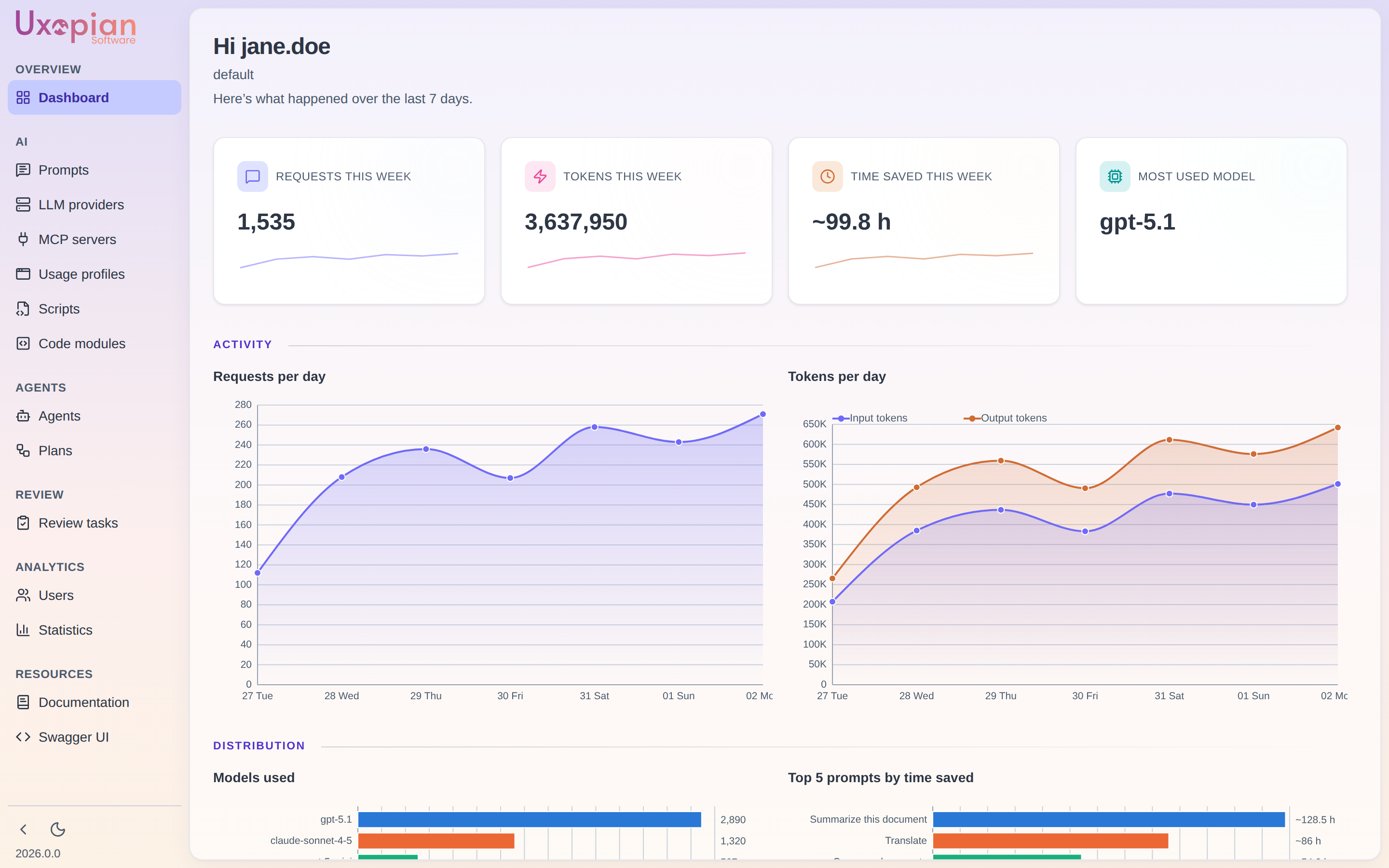
The admin console, Chat and Quick Prompt get a new common look: a collapsible menu, one primary action per page, detail pages that keep their tab in the URL, and tables that remember the width, order and visibility of your columns. Double-click a row to edit it. The dashboard now greets you and shows your tenant.
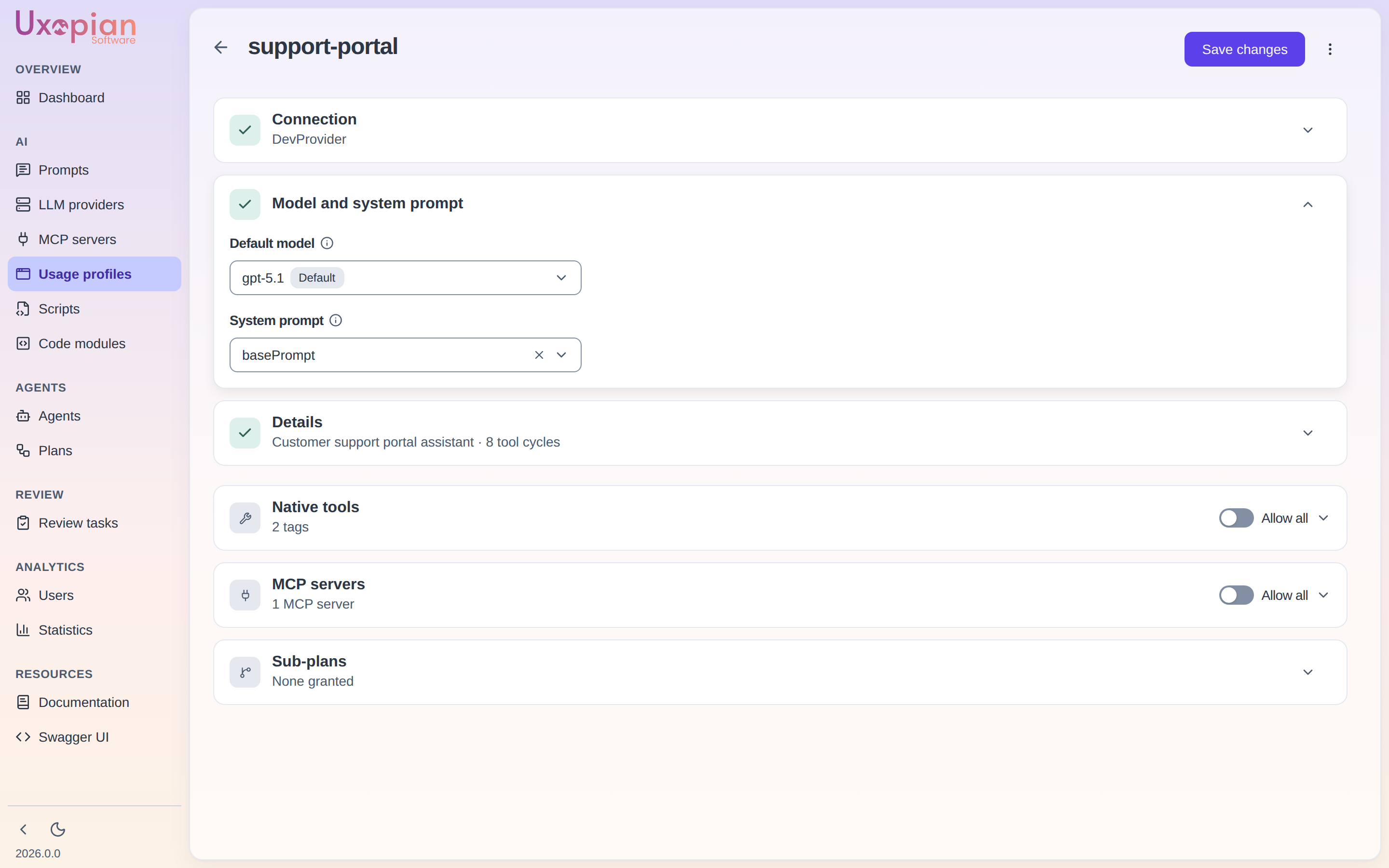
🏷️ Applications become Usage profiles (action required)
A usage profile decides, for one calling surface, which provider, model, system prompt and tools are allowed. It is the former Application with a new name, a new REST path (/api/v1/admin/usage-profiles), a new header (X-Usage-Profile-Id) and a stricter job. Existing Applications are not migrated: re-create them as usage profiles.
🧱 Code modules
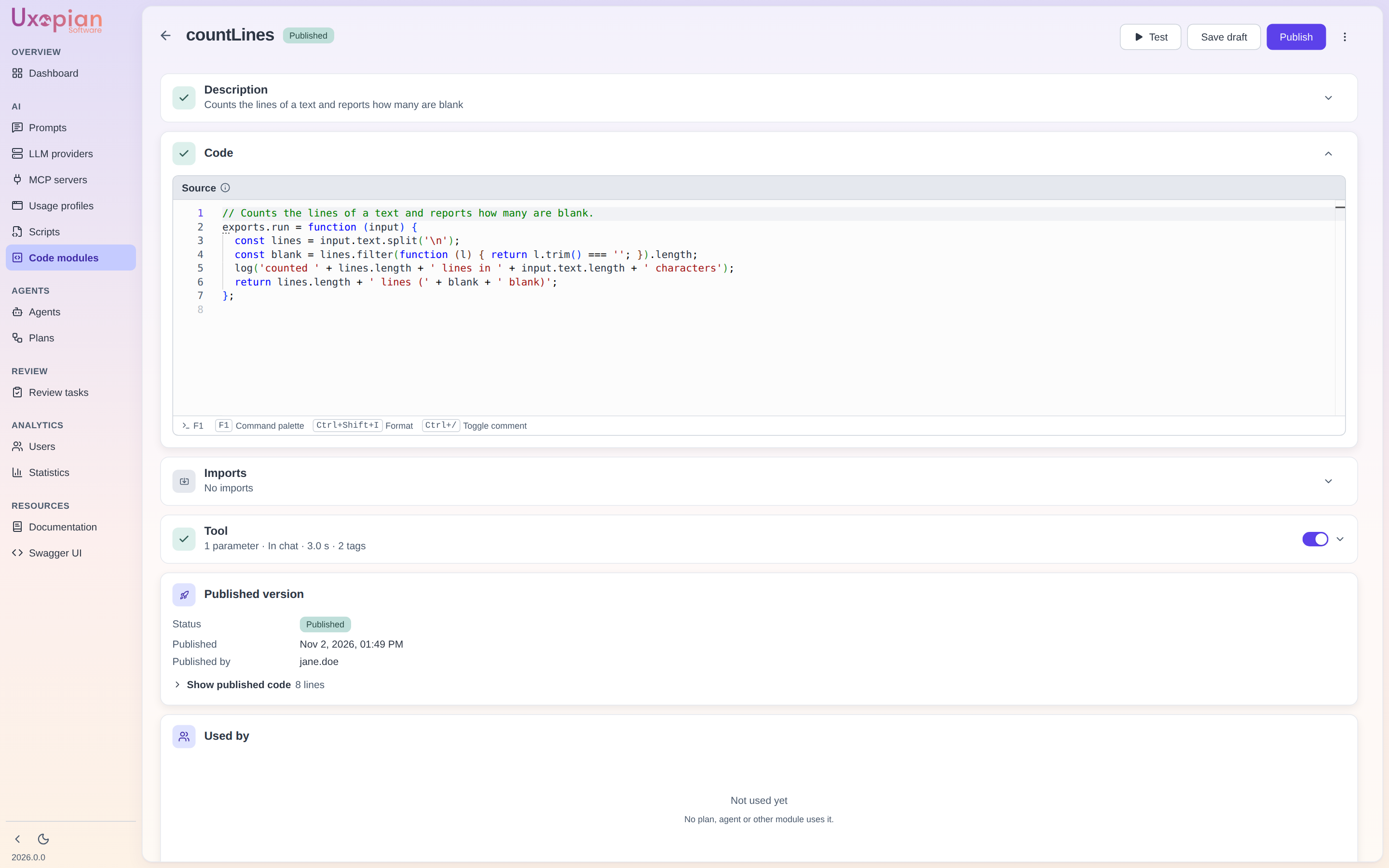
Write JavaScript tools and shared libraries in the admin console and let a plan, an agent or the chat call them. They run in the uxopian-code-sandbox, with a draft and publish lifecycle and a Test window. Opt-in: with no sandbox configured, the feature stays off. See Code modules.
✅ Human review
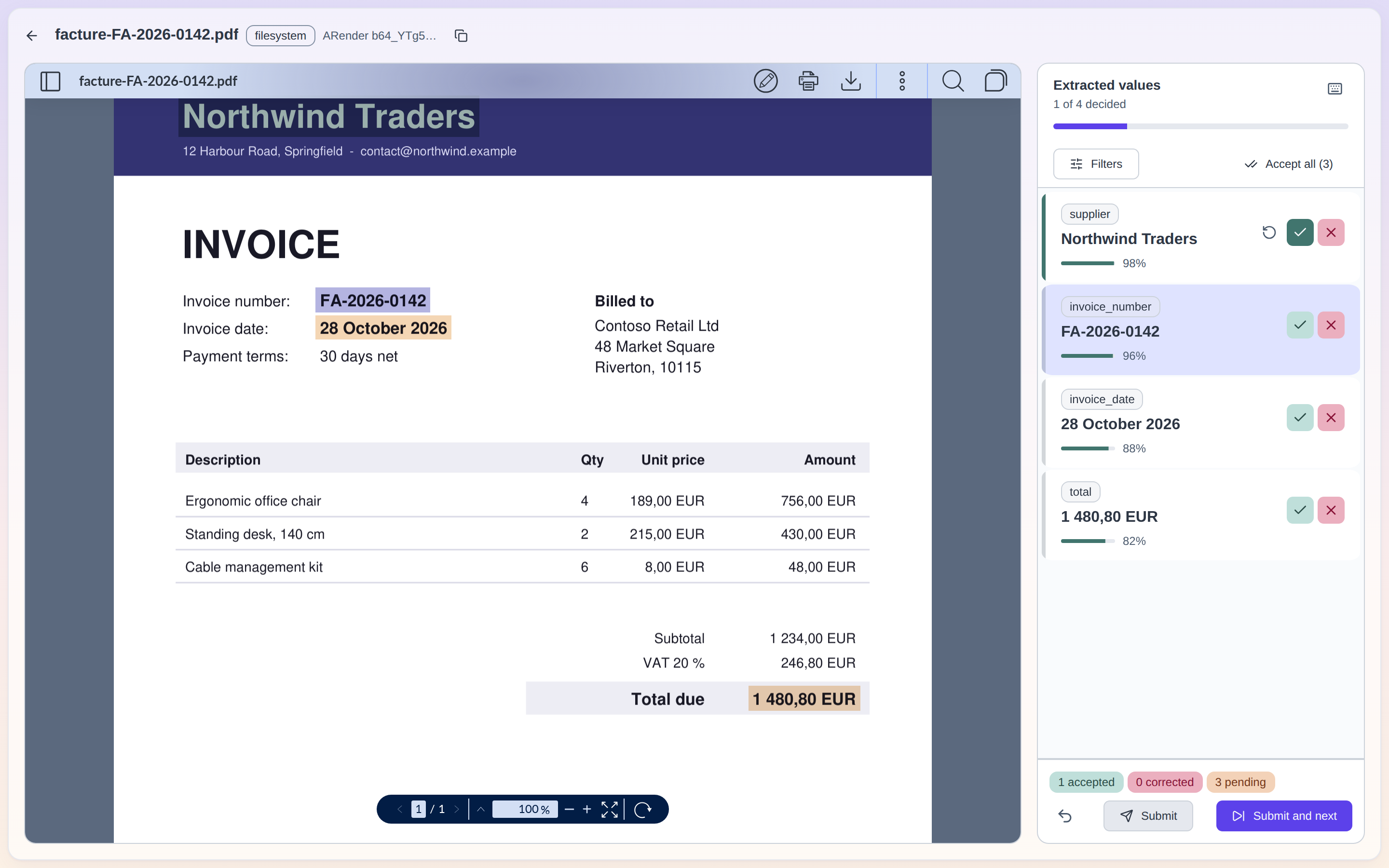
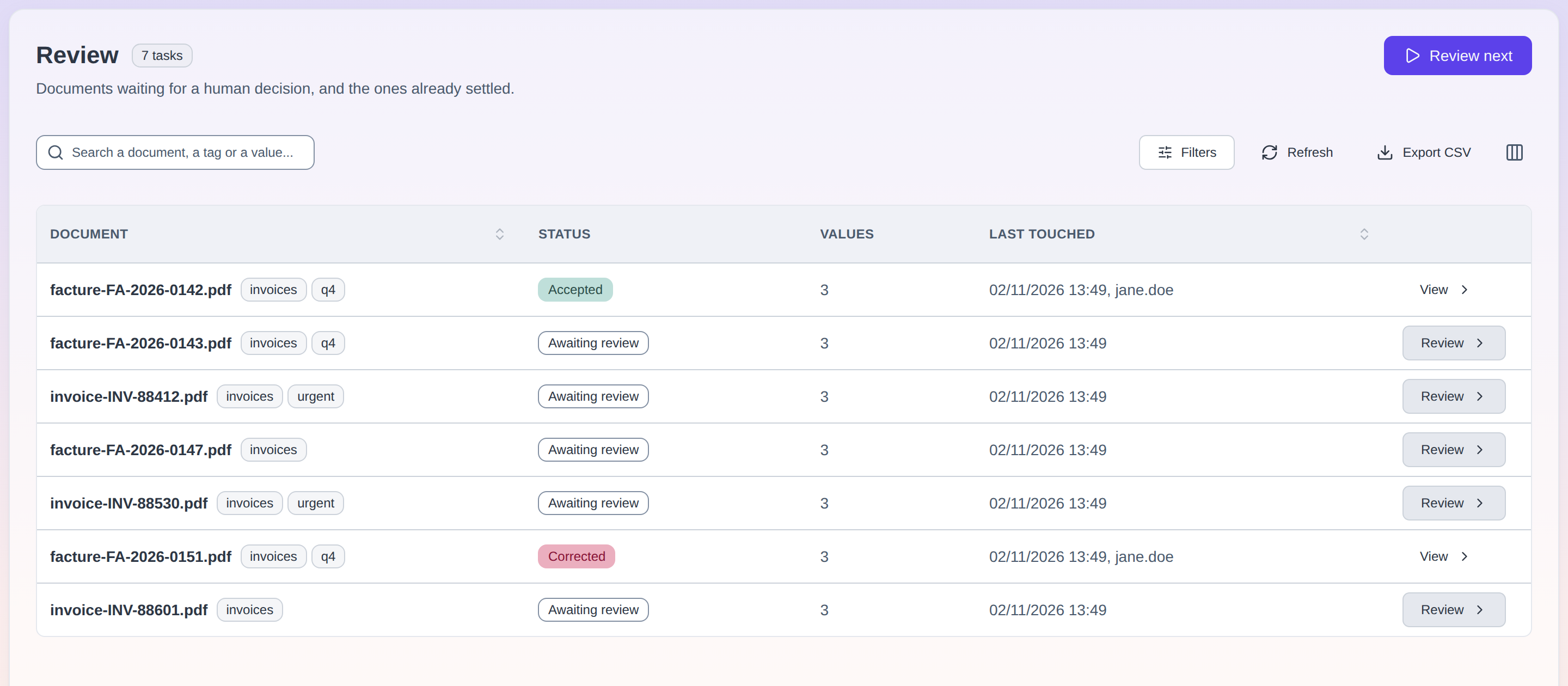
A new Review screen and a task queue let reviewers accept, correct or refuse extracted field values next to the source document, with keyboard shortcuts for the speed readers. See Human-in-the-loop review.
📎 Documents and PDFs as model input
Requests can carry files, as multipart/form-data or as typed file references. PDFs are sent natively to OpenAI, Anthropic, Gemini, Bedrock and Mistral. The image content type is renamed base64 (action required).
🧩 Plans you can actually watch
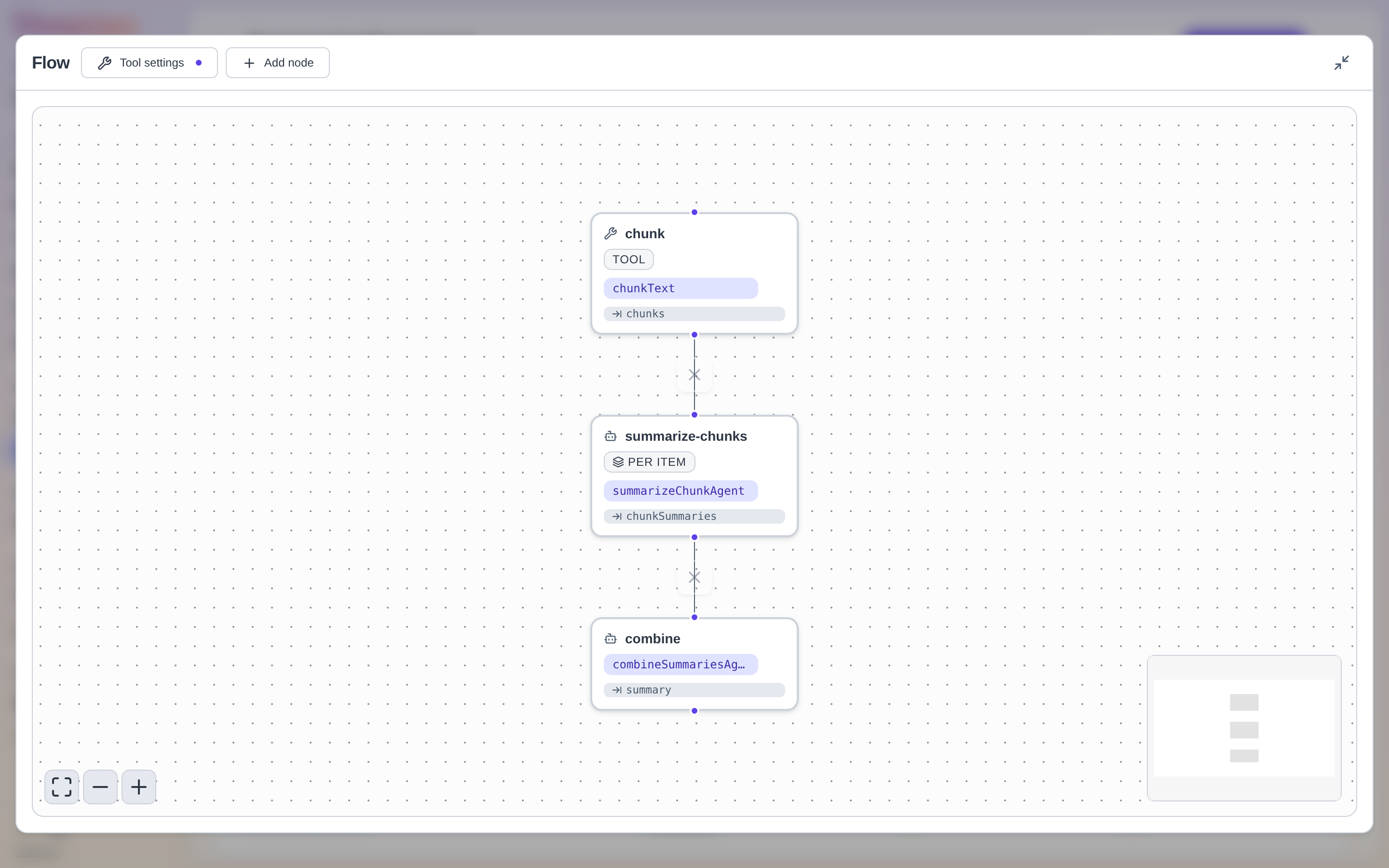
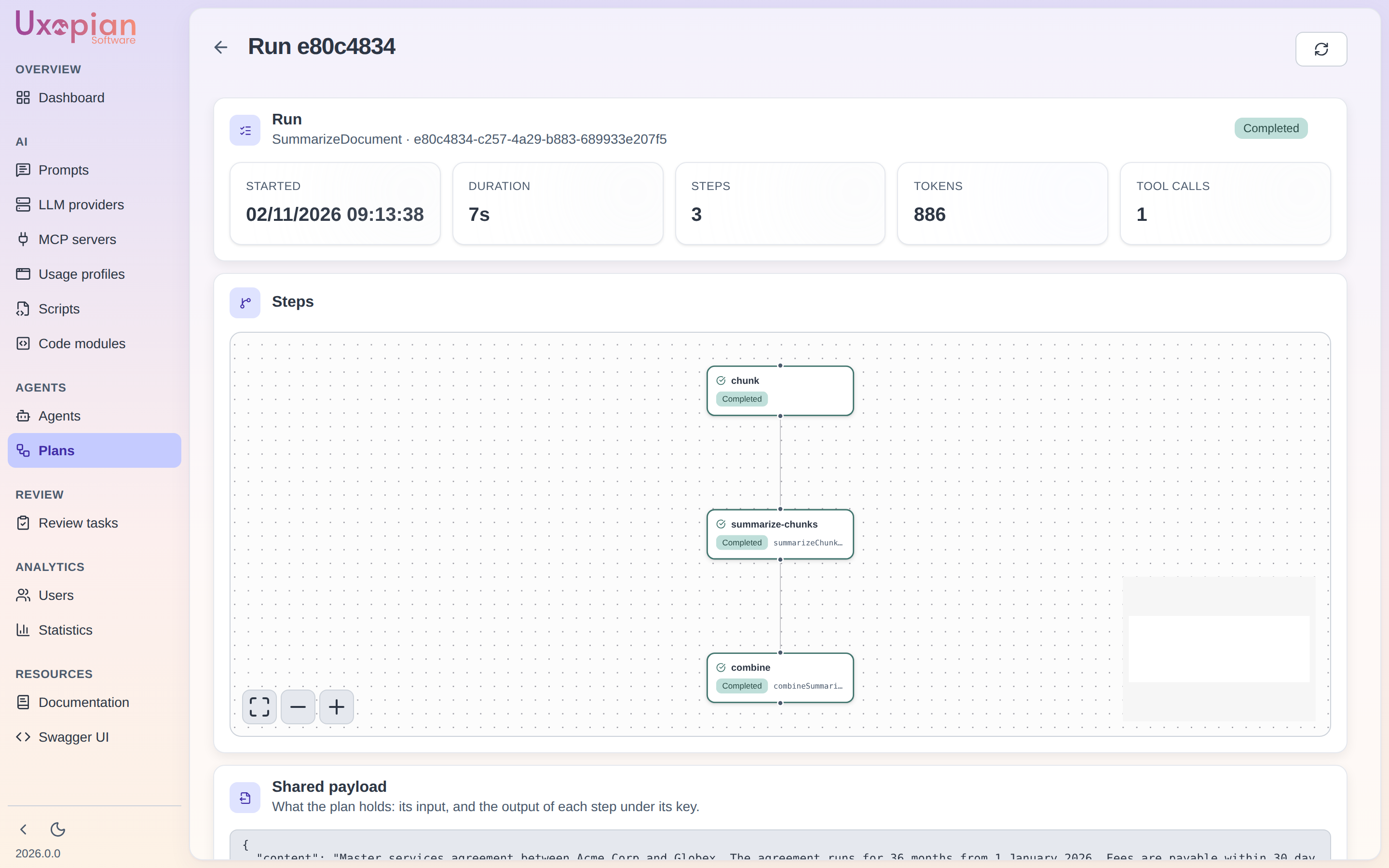
Open a plan run, expand the flow to full screen, and read the output of every step in its panel. Recovery branches (Runs when) let a plan carry on after a failure.
📄 Paginated admin APIs (action required)
Every admin list now answers a page of summaries ({ collection, total, facets }) with server-side search, filters and sorting, instead of a bare array.
🔒 Hardened deployment (action required)
INTERNAL_AUTH_JWT_SECRET is required in every deployment, the Helm chart always renders a NetworkPolicy, and the admin console and viewer are served with a strict Content-Security-Policy.
✨ New features
🏷️ Usage profiles
- One profile per calling surface: default provider and model, system prompt, tool permissions, maximum tool cycles.
- A profile's prompt replaces the default base prompt.
🎯 Which model answers
- The provider and model come from the prompt first, then from the usage profile.
- Agents run on the provider, model and temperature of their objective prompt.
- A provider configuration can be tested from the admin.
🧾 Structured output and success criteria
- A prompt version can declare the shape of the answer it expects.
- An agent's success criteria are a list, judged one by one.
🧱 Code modules
- JavaScript tools and libraries, written and published from the admin console.
- Callable from plans, agents and chat, and run in the code sandbox.
✅ Human review
- A review screen and a task queue to accept, correct or refuse extracted values.
- Keyboard shortcuts, status tiles, CSV export.
📎 Documents and files in requests
- Send PDFs and files to the model, as an upload or as a reference.
- File connectors for the filesystem, FlowerDocs, FileNet and Alfresco.
- Keep the files you send, on request.
🔎 Tool calls traced
- Every request lists the tools it used, in the conversation view and in the plan run.
🧬 NuExtract rework
- Runs on the NuMind platform, with an extraction project or a JSON template.
- Returns values, positions, or both, so the review screen can draw them.
🧩 Plans
- Recovery branches: a step can run on success, on failure, or whatever happens.
- A new flow tool stops a plan when a step found nothing.
- A single signal endpoint to pause, resume or stop a run.
🗃️ FileNet and ICN
- Find folders by name, list subfolders, and read a document's text from a template.
- A native Uxopian AI submenu in ICN, with actions defined as Uxopian AI scripts.
🛠️ For plugin authors
- Tools can add guidance for the model, and ask for confirmation before a destructive action.
- Providers can tell the platform when a quota is exhausted.
🌐 REST API
- Paginated lists with filters and facets, name availability checks, and a
users/meendpoint. - OpenAPI is grouped by type.
🏗️ Platform & improvements
- 🎨 A redesigned admin console: collapsible menu, one primary action per page, tabs that stay in the URL.
- 📋 Lists that remember you: server-side search and filters, 25 rows per page, columns you can resize and reorder, double-click to edit.
- 🧪 A better prompt tester: it stays available while you edit, and understands loops and conditions in your templates.
- 🏷️ Prompt tags, shown and filterable in the list, and prompt versions that tell who changed them and when.
- 🧩 Easier plan runs: full-screen flow, shared payload, the output of each step.
- 📊 Accurate token counts: every completion of a tool-calling conversation is now counted, so statistics for those conversations go up.
- 💬 Chat memory fixed: the model now receives the most recent exchanges of a long conversation.
- 🚦 Clearer provider errors: out of credit, rate limit and timeout each get their own explanation in Chat and Quick Prompt, without exposing the provider's message.
- ⚡ Faster, quieter chat: the answer status comes before the stream opens, and conversations are saved at most once a minute.
- 🔒 A stricter Content-Security-Policy on the admin console and the viewer.
- 🔗 Swagger link in the admin, and scripts that refresh as soon as they are published.
🐛 Bug fixes
- 🔐 FileNet tenants no longer share a cache, and full-text search works again.
- 📂 Prompt categories with a space no longer break the prompt lists.
- 🌱 Re-seeding no longer overwrites your customised global prompts.
- 💬 Chat: the history of an existing conversation displays,
openChatreopens the right conversation, and Quick Prompt shows the answer to the right question. - 📈 Statistics: the latest requests are no longer dropped, and per-user counts are right.
- 📄 Viewer: filesystem documents render again, and a value without a confidence score no longer empties the queue.
- ✍️ Admin editors: a new script can be edited right away, two plan nodes added at once keep their links, the template editor no longer garbles brackets, and the permissions editor keeps the tools you allowed one by one.
- 🧹 Admin polish: every delete confirms its success, failed lists say so and offer a retry, and malformed ids answer a clear error.
- 🕒 FlowerDocs date criteria are read in UTC.
- 🧭 Small fixes: the Quick Prompt priority hint, choices without a description, and the Reasoning toggle removed from the chat because it had no effect.
🔄 Upgrade notes
From v2026.0.0-ft5
No automatic migration is provided between fasttrack versions, so the upgrade is a new installation plus a transfer of your data. Here is what to do and what changes for your integrations. The details of every endpoint are in the REST API reference.
🚚 Your data
- Transfer your data (action required). The data model changed since ft5: new fields and indices, Applications replaced by usage profiles, entities identified by id. Export what you need (prompts, agents, plans, scripts, MCP servers, LLM providers, usage profiles) from the ft5 deployment and re-create it in 2026.0.0, or start fresh. Existing conversations and requests are not carried over unless you transfer them yourself. Applications become usage profiles: re-create them, or let the default profile be created on first use.
🛠️ Installation
- Internal auth secret (action required).
INTERNAL_AUTH_JWT_SECRETis now required in every deployment, dev included: without it, uxopian-ai refuses to start. It must be at least 32 bytes and identical to the gateway'sinternal-auth.jwt.secret. Add it to your Docker, Java and compose configurations. The Helm chart already required it. - Kubernetes (action required). The Helm chart always renders a NetworkPolicy: only the gateway can reach the API. Add any other direct caller (FlowerDocs or ICN pod, Prometheus) to
networkPolicy.allowedClients, and check that your cluster enforces NetworkPolicy. RemoveappConfig.openSearch.forceRefreshfrom your values. - Embedding and clustering. The admin console and the viewer can no longer be framed in an iframe: embed through the web components. Nodes no longer find each other by Hazelcast auto-detection: on a single node or on a network without multicast, set
HAZELCAST_MULTICAST_ENABLED=false.
🔌 Integrations
- REST changes (action required for REST integrators).
- Applications are now usage profiles:
/api/v1/admin/usage-profilesinstead of/api/v1/admin/application/application-conf, headerX-Usage-Profile-Idinstead ofX-Application-Id. - Admin lists answer pages
{ collection, total, facets }of summaries withoffsetandlimit, instead of a bare array. - Scripts, MCP servers, usage profiles and code modules are identified by
idalone: thenamefield is gone. - Content type
imageis renamedbase64, and inline file data is read through a dedicated route instead of being part of the request JSON. - Provider errors:
402for an exhausted quota (do not retry),429for a rate limit,504for a timeout. - Plan runs are controlled by a single
POST .../plan-executions/{id}/signalinstead of/pause,/resumeand/stop. - OpenAPI groups are now one per type:
/v3/api-docs/Adminand/v3/api-docs/Userno longer exist.
- Applications are now usage profiles:
- Which model answers (action required). The provider and model now come from the prompt, then from the usage profile of the calling surface. The
llm_provider,llm_model,temperatureandreasoningquery parameters are ignored, and there is no fallback onllm.default.*at call time: a call without a provider fails. A usage profile's prompt replaces the default base prompt instead of being added to it. - Web components.
window.createChatnow requiresrequestand losespromptId; to launch a prompt, put aPROMPTinput in the request. - NuExtract (action required if you use it). Point the provider at
https://bbox.nuextract.ai, removemodelId, and set the extraproject: sprj_...(or start your prompt with a JSON template). The answer shape is now{"result", "localization"}, with no streaming. - Custom plugins (action required for plugin authors). Rebuild your plugins and fix the imports: the integration API moved packages,
AiContextandAuthenticatedUserare immutable, andHostActionDispatcheris nowClientActionDispatcher.
Ready to start? Check out the Quick Start or the full Installation Guide.