Learn how to deal with documents
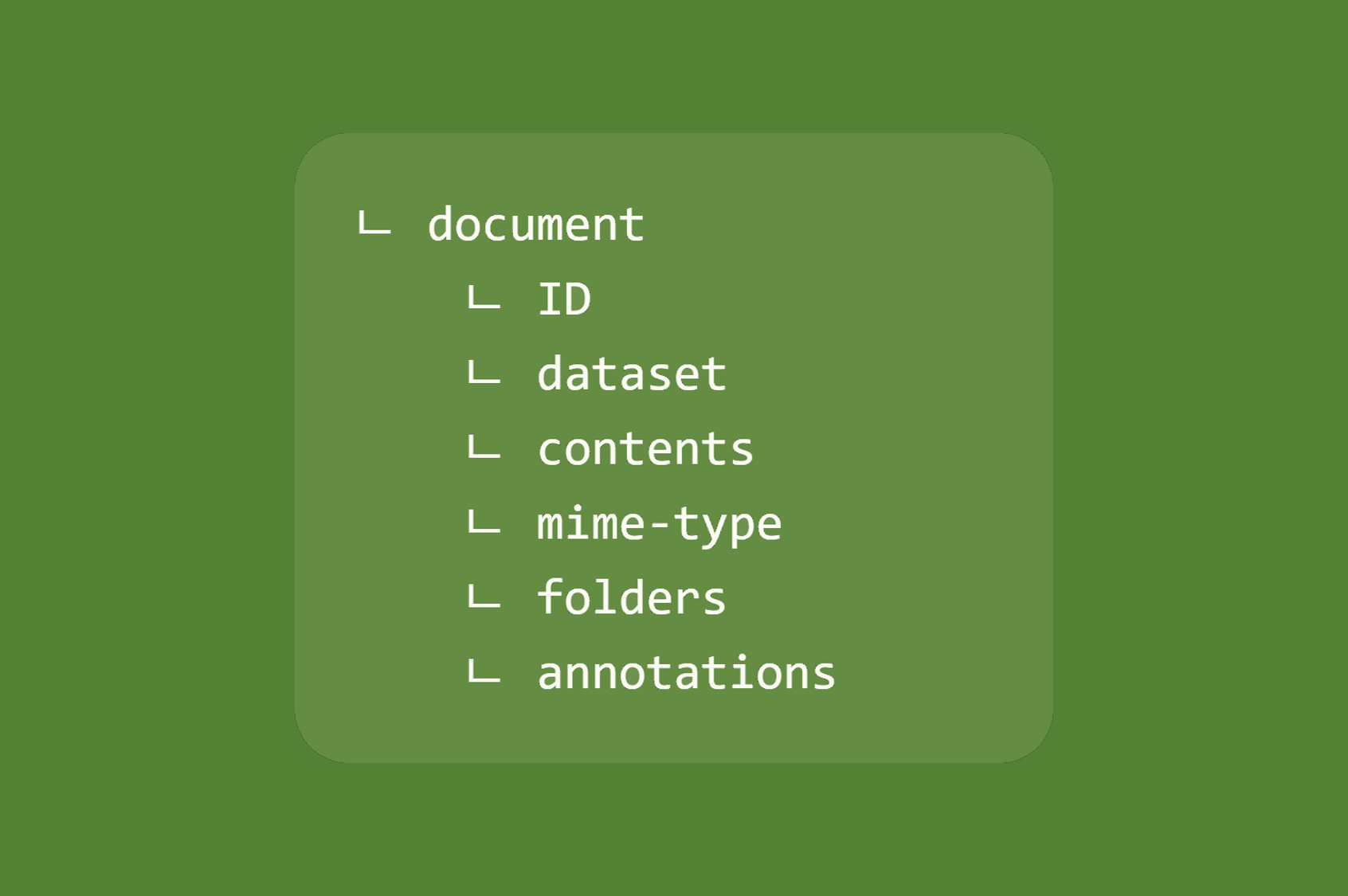
The documents are a main part of any migration, if not the purpose of it. Here are the basics for an appropriate understanding of the Java API of the document object.
For a better understanding of the following, the document structure needs to be clearly visualized. If required, go back to the definition of such an object in Fast2.
Creation
As explained in the basics of punnet a document can be created on the fly:
Document myDoc = myPunnet.addDocument(DocumentId.id());
If required, the document ID can be force by adding a parameter into the document ID creation:
Document myDoc = myPunnet.addDocument(DocumentId.id("myDocId"));
However the ID can be forced after the document creation:
myDoc.setDocumentId(DocumentId.id("myDocId"));
Later on, its ID can be retrieved just like the punnet's:
DocumentId myId = myDoc.getDocumentId();
DataSet
The purpose of the document dataset is to store metadata closely related to its entity. When data are not too tighly related to the content of a document, chances are they will be stored as this dataset level. The mime-type does not follow this rule, though.
This dataset can be access via an usual getter:
DataSet myDataset = myDoc.getDataSet();
A document is built with an empty dataset by default.
For more information concerning the dataset, head out to the dedicated section.
Contents
In Fast2, a document can have no to several contents.
No-content cases could be like:
- the document does not have a content, originally
- the content has already been migrated
- the migration is just an update with only a few metadata to send to the destination
Several-contents cases could be like:
- the document has attachments (1 content per attachment)
- the document has content of different types (e.g. a PDF file alongside a TIFF file)
However the ratio 1-content-for-1-document is quite common.
Contents are accessed via the ContentSet which basically is a collection of ContentContainers:
ContentSet myContents = myDoc.getContentSet();
A document is built with an empty contentset by default.
For more information concerning the contentset, head out to the dedicated section.
Mime-type
All documents provide a shortcut to their first content mime-type, under the mimeType data stored in the document dataset:
String myMimetype = myDoc.getMimeType();
This data can also be set from the document level:
myDoc.setMimeType("myMimetype");
As said earlier, this method is just a shortcut to add a mime-type data into the document dataset.
Folders
The document folderset can be used for folders-only migration and well as folder-as-a-whole ones.
A folderset can contains one or several folder references, and is access as follows:
FolderSet myFolders = myDoc.getFolders();
A document is built with an empty folderset by default.
For more information concerning the folders, head out to the dedicated section.
Annotations
The document can embed zero to several annotations alongside its contents or data.
The collection of these annotations is called an AnnotationSet, and can be accessed as follows:
AnnotationSet myAnnotationSet = myDoc.getAnnotationSet();
List<Annotation> myAnnotions = myAnnotationSet.getAnnotationList();

myAnnotationSet.addAnnotation(myAnnotation);

Annotation newAnnotation =  myAnnotationSet.addAnnotation(myAnnotatioContent);
A document is built with an empty annotationset by default.
From a Fast2 standpoint, a annotation is just a object composed by an ID and a content.